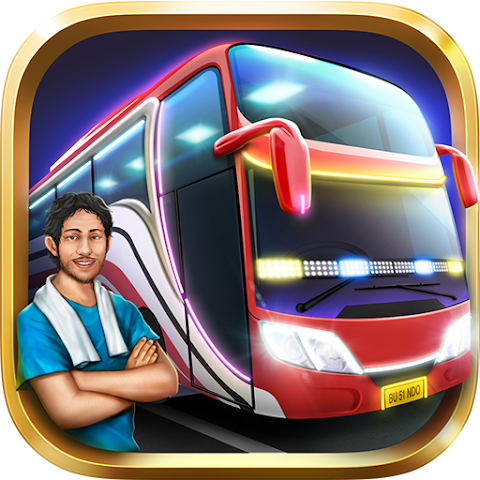

Bus Simulator Indonesia, often known as BUSSID, is one of the most popular simulation games on Android, especially among Indonesian players.
The game offers a unique experience where players can drive buses across Indonesian cities with realistic environments and local culture.
Many users look for a driving simulator that feels immersive but still runs smoothly on mobile devices.
However, not all simulation games provide a balance between realism and performance. BUSSID stands out by delivering both.
In this review, we will explore Bus Simulator Indonesia in detail, including its features, gameplay, advantages, disadvantages, and tips for beginners.
About the Game
- Name: Bus Simulator Indonesia
- Version: v4.4.1
- Size: 1GB
- Developer: Maleo
- Genre: Simulation / Driving
- Platform: Android
- Mode: Offline / Online
Bus Simulator Indonesia allows players to experience what it feels like to be a bus driver in Indonesia.
From navigating traffic to picking up passengers, the game focuses on realism while keeping gameplay enjoyable.
Main Features
- Realistic Indonesian Environment: Roads, cities, and landmarks inspired by real locations in Indonesia.
- Custom Bus Livery: Players can design and use their own bus skins.
- Online Multiplayer Mode: Drive together with other players in real-time.
- Detailed Controls: Steering wheel, tilt, or button controls for flexible gameplay.
- Passenger System: Pick up and drop off passengers to earn money.
Gameplay Experience
The gameplay in BUSSID is immersive and relaxing. Players take on the role of a bus driver and complete various routes while following traffic rules.
Unlike arcade-style driving games, BUSSID focuses on realistic driving behavior.
The game offers both offline and online modes, making it flexible for different types of players. Whether you want to relax alone or play with friends, BUSSID provides both options.
Pros and Cons
Pros:
- Realistic Indonesian driving experience
- Can be played offline and online
- Customizable buses and liveries
- Large community and active updates
Cons:
- Large file size (around 1GB)
- Requires stable performance on mid to high-end devices
- Some players may find gameplay repetitive over time
How to Play Bus Simulator Indonesia
- Start the game and choose your bus
- Select a route or mission
- Drive carefully following traffic rules
- Pick up and drop off passengers
- Earn money and upgrade your bus
Understanding the controls and traffic system is key to mastering the game. Driving safely will help you earn more rewards.
Tips for Beginners
- Start with easy routes to learn controls
- Upgrade your bus gradually
- Follow traffic rules to avoid penalties
- Use camera angles for better visibility
Alternatives
If you enjoy BUSSID, you might also like:
- Truck Simulator Ultimate
- World Bus Driving Simulator
- Public Transport Simulator
Conclusion
Bus Simulator Indonesia is one of the best mobile simulation games available today, especially for players who enjoy realistic driving experiences.
It successfully combines local culture, detailed gameplay, and flexible modes.
If you are looking for a relaxing yet immersive driving simulator, BUSSID is definitely worth trying.