
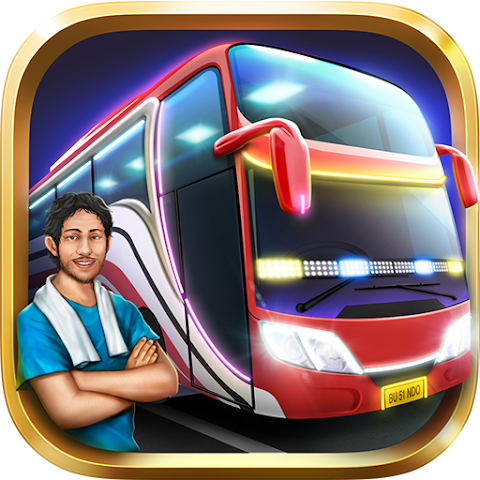
Bus Simulator Indonesia Review: Gameplay, Features & Pros
Bus Simulator Indonesia, often called BUSSID by players, is one of the most popular driving simulator games on Android.
The game offers a realistic bus driving experience inspired by Indonesian roads, vehicles, and transportation culture.
Many mobile driving games focus mainly on racing and speed, but some players prefer slower and more immersive simulation gameplay.
Bus Simulator Indonesia delivers that type of experience by allowing players to transport passengers, explore cities, and customize buses in a realistic environment.
In this review, we will explore the gameplay, features, strengths, weaknesses, and overall experience to determine whether this simulator is still worth playing today.
About the Game
- Name: Bus Simulator Indonesia
- Full Size: 1.2GB
- Genre: Driving / Simulation
- Platform: Android
Bus Simulator Indonesia is a driving simulator where players take control of buses and travel across different routes while transporting passengers safely to their destinations.
Main Features
- Realistic Bus Driving: Detailed controls and driving mechanics.
- Indonesian Environment: Roads, cities, and traffic inspired by real local settings.
- Vehicle Customization: Create and modify bus designs with custom liveries.
- Open-World Exploration: Drive freely across various locations.
- Multiplayer Mode: Interact and drive with other players online.
Gameplay Experience
The gameplay focuses on realistic driving and passenger transportation rather than fast-paced racing.
Players need to follow roads carefully, manage speed, and avoid accidents while completing routes.
One of the strongest aspects of the game is its atmosphere.
The Indonesian-inspired environment gives the simulator a unique identity that feels different from generic driving games.
Customization is also a major reason why many players continue playing.
Players can create personalized bus liveries and experiment with different vehicle styles.
Pros and Cons
Pros:
- Realistic and relaxing driving gameplay
- Unique Indonesian-inspired atmosphere
- Detailed bus customization system
- Large open-world environment
Cons:
- Large storage requirement
- Controls may feel difficult for beginners
- Performance depends on device specifications
How to Play
- Select a bus from the garage
- Choose a driving route or free mode
- Drive carefully while following traffic rules
- Pick up and drop off passengers
- Earn rewards to unlock more vehicles and upgrades
Maintaining smooth driving and avoiding collisions is important for successful route completion.
Tips for Beginners
- Start with shorter routes first
- Adjust steering sensitivity if needed
- Drive slowly while learning controls
- Save rewards for important upgrades
Alternatives
- Truckers of Europe 3
- Bus Simulator Ultimate
- Car Parking Multiplayer 2
If you enjoy simulator and driving games, you can also explore other driving game reviews available on our website.
Conclusion
Bus Simulator Indonesia remains one of the best mobile driving simulators thanks to its realistic gameplay, detailed customization, and unique local atmosphere.
The game offers a relaxing experience that appeals to players who prefer simulation over competitive racing.
Although the large file size may not suit every device, the overall driving experience makes the game worth trying for simulator fans.